How to organize a live chat event, step by step
A successful chat is mostly prepared in advance. Here is the method we follow with our clients, from setting the goal to publishing the transcript.
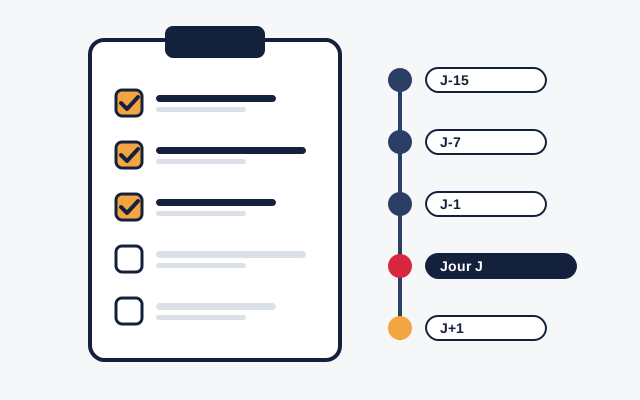
Define the goal and the guest
Inform, consult, promote? The goal drives the choice of guest, the length (45 to 60 minutes works in most cases) and the target audience.
Choose the moderator
They know the subject, type fast and accurately, and can stay neutral. For a large audience, plan two moderators and one person for the transcript.
Promote the event
A dedicated page on your site, your newsletter, social media: give the date, time, the guest’s name and the address of the chat page. Collecting questions in advance helps get things started.
Rehearse the day before
Test the guest’s camera, microphone and connection from the actual location. Show them where the question and the notes appear. Agree on a signal to speed up or wrap up.
Open questions before going live
Fifteen minutes before, the moderator opens the question box: the queue fills up and the first question is ready from the start.
Run the session
The moderator sends one question at a time, groups duplicates, alternates topics and tells the guest how much time is left. Questions close five minutes before the end.
Publish and follow up
Publish the transcript on your site the same day, thank participants and announce the next event. The published text keeps bringing visitors from search engines.
The most common mistakes
- Announcing too late: without promotion at least a week ahead, the question queue stays empty.
- Letting the guest read the raw chat: they get distracted. They should only see the question passed on.
- Dropping every critical question: the audience notices. Keep them when they are properly worded.
- Forgetting the follow-up: an unpublished transcript is lost content.
Recommended equipment
For the guest: a decent webcam, a headset or desk microphone, a wired connection if possible, and a quiet room lit from the front. For the moderator: a computer with a large screen. Participants only need a recent browser. Details are in the technical specifications.
Want to keep the conversation going between participants after the event? A community chat like Dialogoo or an HTML5 video chat can stay open on your site all year round.
Need help with your first chat?
We support you in preparing your first session.